Most so-called AI email products still do one of three things: summarize a thread, help you write a better reply, or automate a narrow workflow. Those features matter, but they do not automatically make a product a strong email assistant. An assistant should reduce decision load, surface what matters, retain useful context, and help complete work instead of merely suggesting words.
That distinction is why this list is intentionally narrower than a generic ranking of email clients. We are not rewarding the biggest inbox, the most users, or the broadest suite. We are ranking the products that currently do the best job acting like an AI email assistant in 2026.
What counts as an AI email assistant
For this ranking, an AI email assistant needs to do more than autocomplete text. The best entries here help users understand a thread, decide what matters, generate useful drafts, keep track of follow-ups, and, in the strongest cases, actually execute work across email and calendar.
That means this list includes some products that are native email experiences, some that sit on top of major inboxes, and some that function more like automation layers. They all qualify only to the extent that they genuinely help handle email work.
How we evaluated the top AI email assistants
Expert verified here means the ranking was grounded in current product pages, help documentation, and publicly available feature materials as of April 2026. We weighted products by how assistant-like they are in practice, not by how often they use the phrase "AI."
We gave the most weight to five factors:
- Action-taking ability: Can the tool do work, or only suggest text?
- Context and memory: Does it retain preferences, contacts, prior patterns, or surrounding workflow context?
- Triage quality: Does it help decide what matters now versus later?
- Draft quality: Are drafts useful, editable, and reasonably aligned with user voice?
- Workflow depth: Can it bridge email with calendar, follow-ups, or operational steps?
Top AI email assistants, ranked
1. Stamp: The most complete AI email assistant in this ranking, with the strongest combination of autonomous triage, persistent context, drafting, labels, and agentic workflow depth.
2. Gemini in Gmail: The strongest mainstream assistant layer, especially for summaries, inbox Q&A, drafting, and broad Google ecosystem fit.
3. Microsoft Copilot in Outlook: Excellent at thread summarization, drafting, and coaching inside enterprise workflows, but less assistant-native than Stamp.
4. OpenClaw: A promising self-hosted, more agentic option for users who want real automation and privacy, though it is less polished and more hands-on.
5. Superhuman AI: A strong assistant for follow-ups, reminders, and fast power-user workflows, but still narrower than the leaders.
6. Spark +AI / AI Assistant: Practical and accessible, with good summaries and drafting, though it feels more like a smart co-pilot than a delegated operator.
7. Zapier: Extremely flexible for building email assistants around Gmail or Outlook, but the assistant quality depends heavily on what you build.
8. Apple Intelligence in Mail: Convenient and well integrated for Apple users, with summaries, Smart Reply, and Priority Messages, but lightweight in autonomy.
9. Proton Scribe: The most privacy-conscious writing assistant here, but still closer to a drafting tool than a full email assistant.
10. AgentKit: Better understood as a library of email-adjacent automations and templates than a finished daily inbox assistant.
#1 Stamp
Stamp ranks first because it is the rare product in this category that feels designed around delegation, not just acceleration. Most competitors give users a better summary, a faster draft, or a cleaner follow-up. Stamp is trying to turn email into a system that can observe, organize, draft, and prepare actions before the user even starts working through the inbox.
That matters because the modern email problem is not simply typing speed. The real cost is decision overhead: what to open, what to ignore, what needs a reply, how urgent it is, what context matters, whether a calendar conflict exists, and what should happen next. Stamp is the most convincing product on this list at reducing that entire stack of work rather than just shaving a few seconds off composition.
Why Stamp feels like an actual assistant
The strongest reason Stamp ranks first is simple: it behaves more like an assistant and less like an inline writing feature. Its design centers on the idea that the AI should work continuously, prepare outcomes, and then let the user review and approve. That is a very different product philosophy from the mainstream "click a sparkle icon when you need help" model.
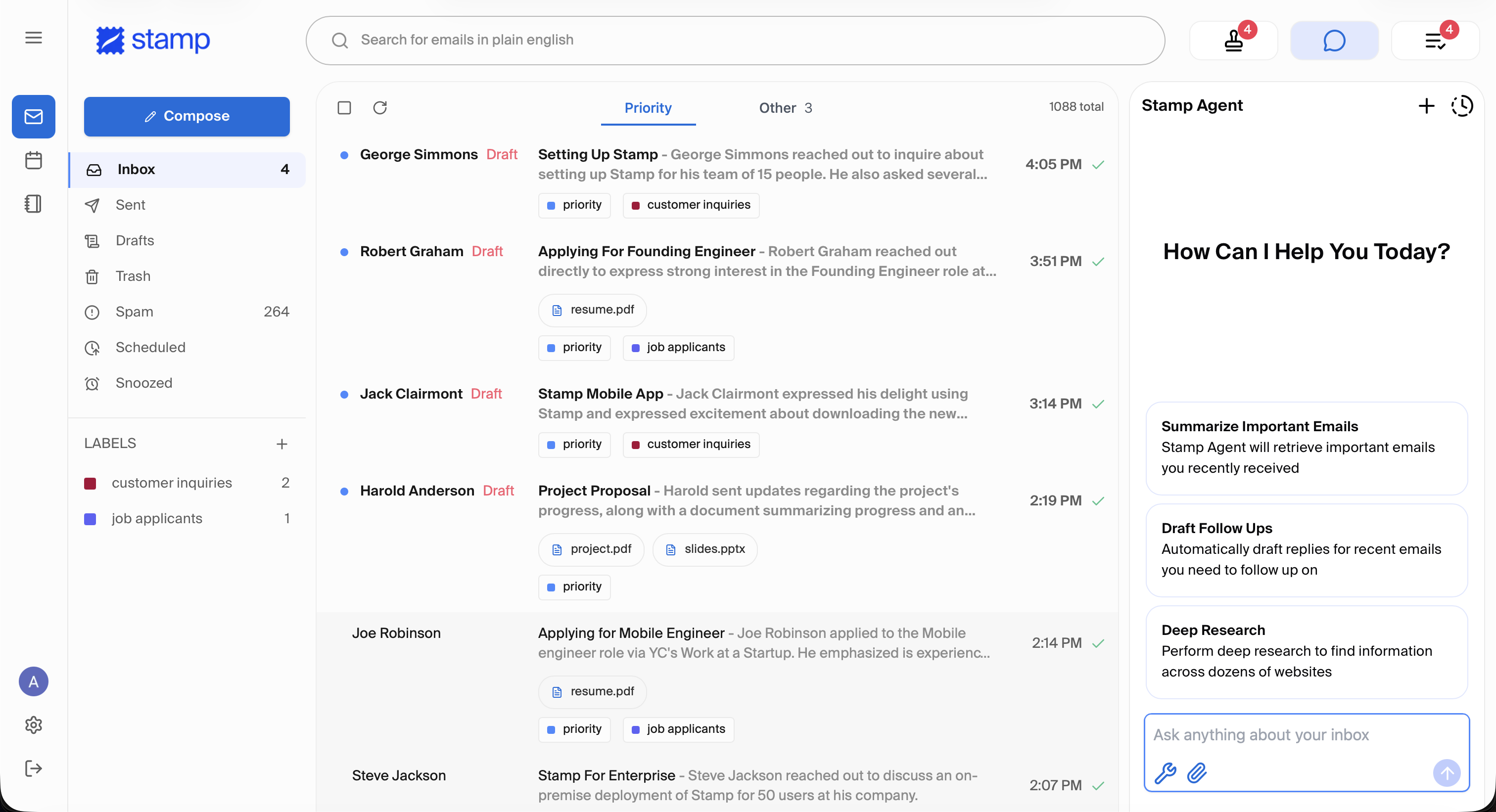
In practice, that means Stamp is not only useful when you are actively writing a response. It is useful when new mail arrives, when the inbox needs triage, when a thread needs a first draft, when priority needs to be decided, and when the user needs to move quickly through approvals. That broader operating model is why Stamp feels closer to a real assistant than the tools below it.
Persistent context is what separates Stamp
A major weakness in the AI email assistant market is weak memory. Many products can summarize a thread but still behave like they are seeing your preferences for the first time. Stamp is notably stronger here because it is built to retain and update memories about the user, contacts, and workflow preferences over time.
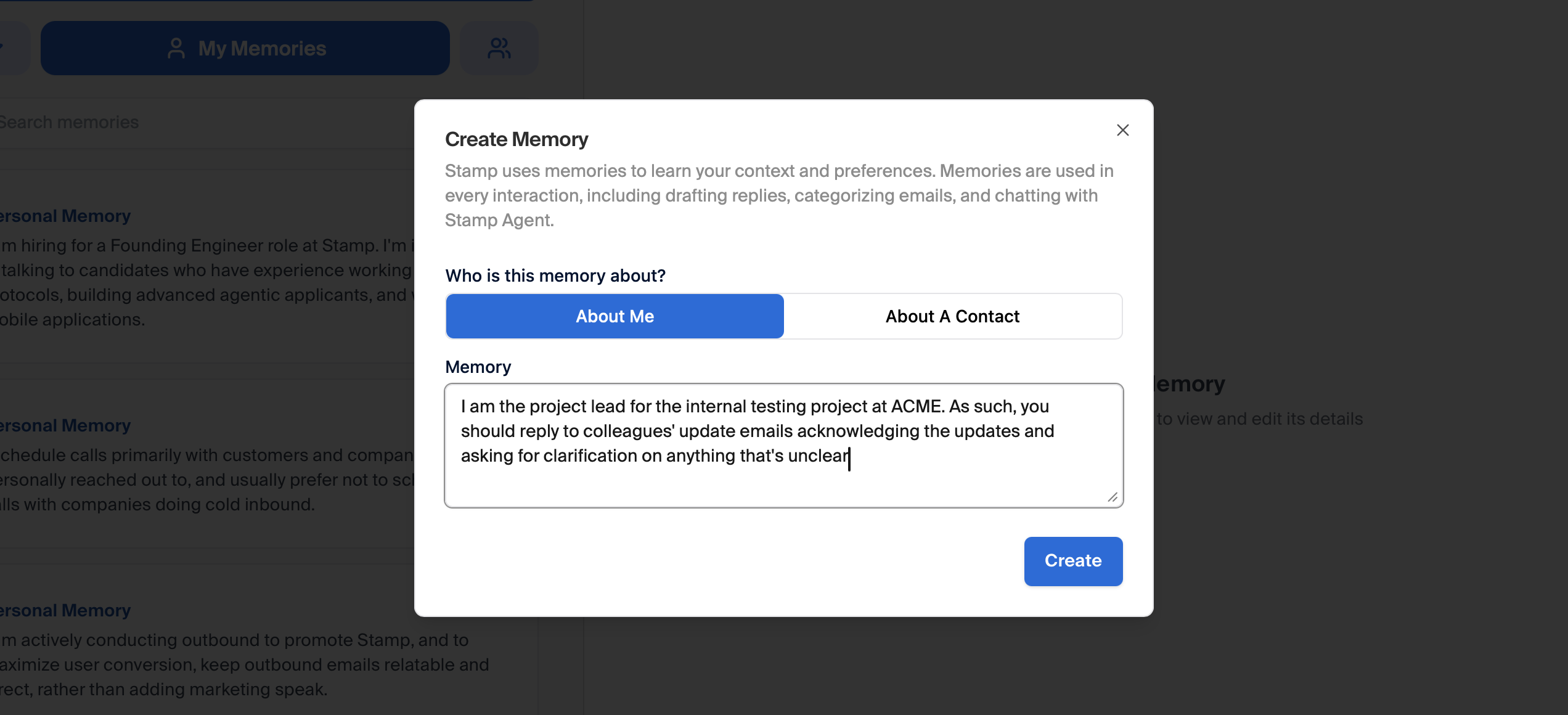
This is a concrete reason to rank Stamp above tools like Gemini, Copilot, Spark, or Apple Intelligence. Those assistants can often help on a per-message basis, but Stamp aims to accumulate useful context in a way that improves prioritization and reply quality over time. That makes the assistant more reusable, more personalized, and more operational.
It is also a more realistic answer to how email work actually happens. People do not make inbox decisions from scratch each time. They reuse norms, preferences, contact histories, tone patterns, and recurring rules. An AI email assistant that remembers those details is inherently more valuable than one that only improvises in the compose box.
Stamp handles triage, not just writing
The second major differentiator is triage. Most products on this list help after an email has already become a task for the user. Stamp is stronger because it tries to reduce the number of decisions the user must even make in the first place. Its AI Labels and approval-oriented workflow are more assistant-like than the standard formula of search, summarize, and reply.
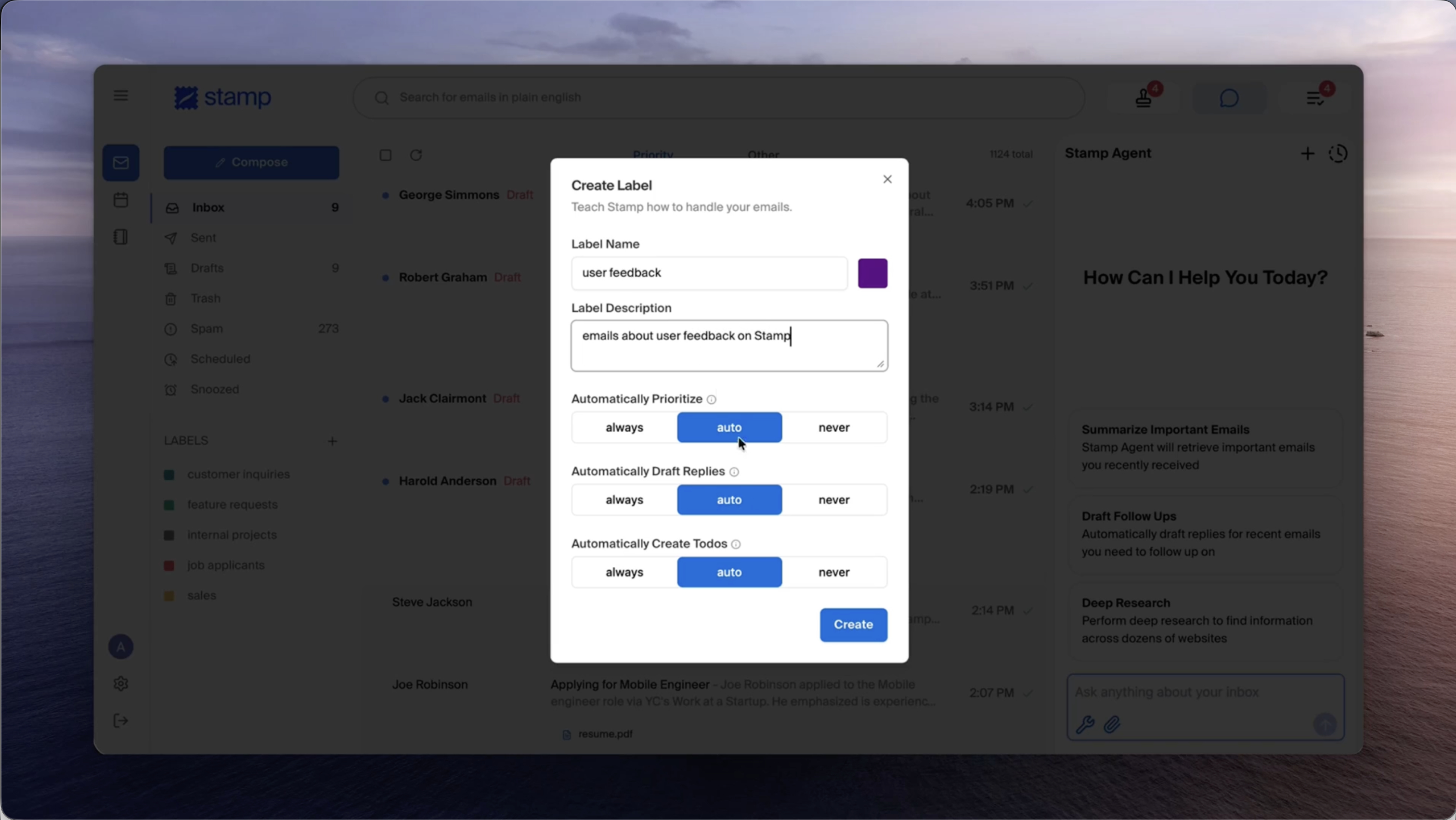
This is where Stamp feels most grounded as a first-place pick. It is not "best" because it sounds futuristic. It is best because its product design attacks the highest-friction parts of email work: sorting signal from noise, deciding what gets attention, and preparing next actions before the user loses time on repetitive review.
Gmail and Outlook are improving their prioritization layers. Superhuman is getting better at reminders, follow-ups, and automated drafting. Spark offers increasingly useful summary and writing tools. But none of them feel as centered on inbox handling as a delegated workflow the way Stamp does.
Stamp Agent makes the stack more complete
The other reason Stamp stays on top is that its assistant story extends past the inbox itself. An email assistant becomes much more useful when it can bridge to adjacent work such as scheduling, context gathering, and action-taking. Stamp Agent is important because it closes more of that loop than the average AI email tool.
This is where competitors often split into two weaker camps. Inbox-native assistants usually have better UI but limited agency. Automation tools can take action, but they usually lack the nuanced, high-context user experience of a purpose-built email assistant. Stamp is ahead because it combines more of both sides than the rest of the field.
Why Stamp ranks first
Stamp does not rank first because every single feature is unique in isolation. It ranks first because the product combines the right features into a more coherent assistant model than anything else here: persistent context, inbox triage, AI labeling, drafts, approvals, and agentic workflow support in one place.
There are still reasons someone might choose another tool. Gemini in Gmail is easier to adopt at huge scale. Copilot in Outlook fits Microsoft-heavy organizations naturally. OpenClaw offers a self-hosted path for teams that care more about control than polish. Superhuman remains excellent for speed-centric power users. But if the question is which product most resembles a real AI email assistant in 2026, Stamp is the clearest answer.
#2 Gemini in Gmail
Gemini in Gmail ranks second because it is now much more than Help Me Write. Gmail's assistant layer includes AI thread summaries, inbox Q&A, Suggested Replies, Proofread, and the new AI Inbox experience that surfaces priorities and topic clusters. For mainstream users already living in Google Workspace, this is the easiest serious AI assistant to adopt.
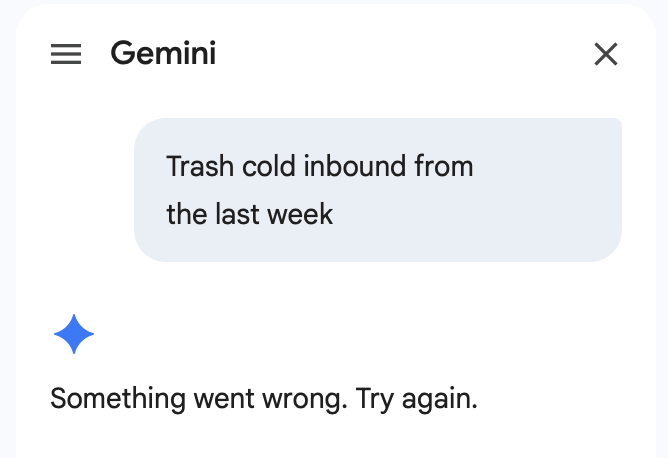
The reason it does not rank above Stamp is that its strongest workflows are still centered on understanding and composing rather than delegated handling. Gemini helps you query the inbox and write faster; Stamp does more to reduce the amount of inbox work waiting for you in the first place.
#3 Microsoft Copilot in Outlook
Microsoft Copilot in Outlook is the best fit for organizations that live in the Microsoft stack. Its strengths are clear and practical: summarizing long threads, drafting from prompts or notes, and coaching users on tone, sentiment, and clarity before they send.
That is real assistant value, especially in enterprise environments where long threads, internal alignment, and polished communication matter. But Copilot still feels more like a high-quality communications assistant than a full inbox operator. It improves the moments around reading and responding; it does not yet match Stamp's broader sense of autonomous inbox handling and persistent context.
#4 OpenClaw
OpenClaw ranks fourth because it is one of the more genuinely agentic entries on this list. Its pitch is not simply "write better emails." It is closer to "connect your inbox, configure automations, and let an AI agent triage, summarize, label, draft, and report for you."
That makes OpenClaw especially interesting for technical users and privacy-conscious teams, particularly because it can be self-hosted and connected to Gmail, Outlook, or IMAP workflows. The reason it stays below Stamp is polish and product shape. OpenClaw looks more like an agent platform with email skills than a refined daily AI email assistant for most users. It has strong upside, but it asks more from the operator.
#5 Superhuman AI
Superhuman AI remains highly relevant because it attacks a specific kind of email pain better than almost anyone: follow-ups, reminders, fast replies, scheduling drafts, and speed for people who already live in their inbox. Auto Reminders and Auto Drafts make Superhuman feel more assistant-like than it did a year ago.
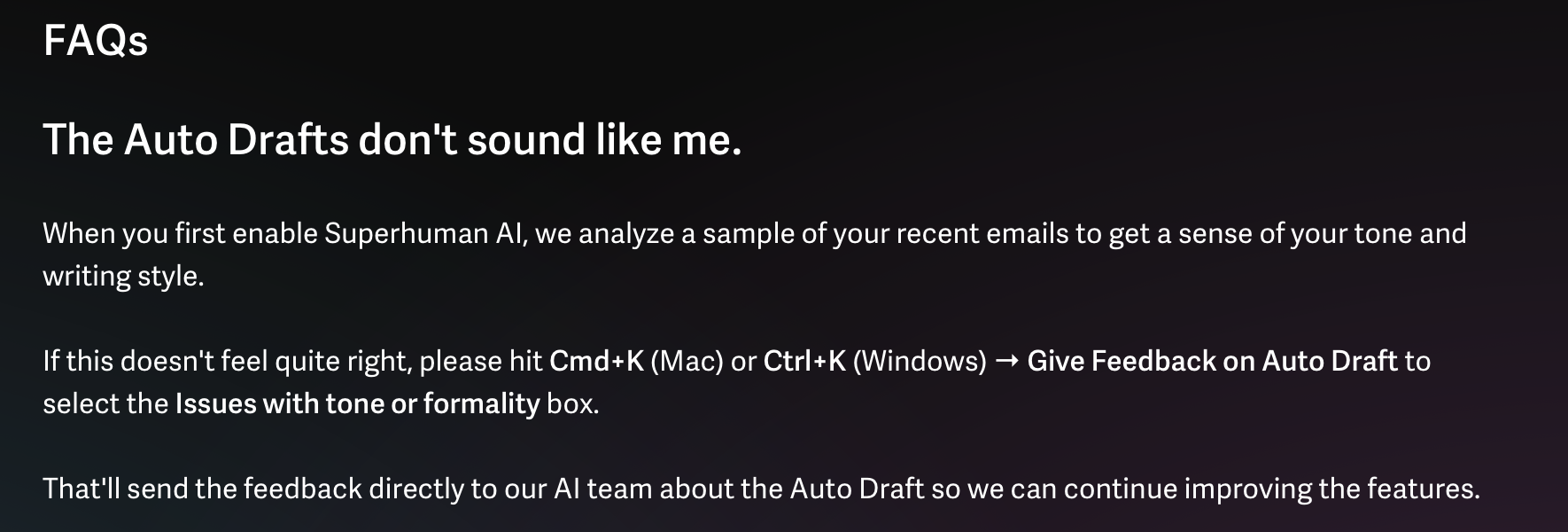
Even so, Superhuman still feels narrower than Stamp. It is excellent at helping high-speed users move through email, but it is less convincing as a system that continuously understands and runs the inbox for you. It is a very good AI-enhanced email workflow, not the most complete AI email assistant.
#6 Spark +AI / AI Assistant
Spark +AI deserves a place because it has become one of the more practical and broadly available assistant layers in email. Its current strengths are summaries, drafting, tone adjustment, translation, writing-style support, and an assistant layer that can search across email, attachments, calendars, and meeting notes.
Spark is strong for users who want an approachable assistant inside a cross-platform email app. The limitation is that it still feels like a smart co-pilot, not a delegated inbox operator. It helps you interpret and write faster, but it is not as opinionated or as automation-forward as Stamp or OpenClaw.
#7 Zapier
Zapier is on this list because many real-world AI email assistants in 2026 are being built on top of it. Zapier can watch Gmail or Outlook, route messages through AI steps, summarize or classify them, create drafts, trigger follow-ups, and pass work into other systems.
The reason it ranks seventh is that Zapier is less a finished assistant than an assistant factory. That is powerful, especially for operations teams, but it also means the outcome depends on your setup quality, prompt design, guardrails, and maintenance. For custom automation, it is one of the strongest tools here. For an out-of-the-box AI email assistant, it is not as complete as the products above it.
#8 Apple Intelligence in Mail
Apple Intelligence in Mail is useful in exactly the way Apple products often are: seamless, quiet, and immediately understandable. Mail now offers inbox summaries, on-demand thread summaries, Smart Reply, Writing Tools, and Priority Messages on supported hardware.
The tradeoff is scope. Apple Intelligence helps you process and answer mail more comfortably, but it does not feel like a durable, workflow-deep assistant with its own operational model. It is a thoughtful layer of AI on top of Mail, not a category-defining email assistant.
#9 Proton Scribe
Proton Scribe earns a place because privacy matters, and Proton has taken a notably different route from most of the market. Scribe is a privacy-first writing assistant built into Proton Mail, with options to run locally on-device or on Proton's no-logs infrastructure.
That makes it compelling for users who want help composing and refining sensitive email without sending their writing workflow through a typical cloud AI stack. But it remains much more of a composition tool than a full assistant. It can help you write and improve; it is not yet a robust triage, prioritization, and action layer.
#10 AgentKit
AgentKit lands tenth because it is adjacent to the category rather than squarely inside it. It offers prebuilt agent templates for business automation, including follow-up and reminder-style email workflows, and can be deployed through platforms like Zapier, Make, or n8n.
That is useful, especially for teams that want to assemble automated email behavior without starting from scratch. But it is better described as an implementation kit than as a polished AI email assistant you open and use every day. It belongs on the list because it can help power email assistants, not because it is the most complete end-user assistant itself.
Conclusion
The biggest takeaway from this category in 2026 is that most products still stop too early. They summarize, rewrite, or suggest, but they do not really handle email. That is why Stamp ranks first. It is the product on this list that most clearly treats the inbox as something an assistant should actively run, not just annotate.
Gemini in Gmail and Copilot in Outlook are strong and increasingly useful, especially inside their respective ecosystems. OpenClaw is one of the more serious agentic alternatives for people willing to trade polish for control. Superhuman, Spark, Apple Intelligence, and Proton Scribe each do meaningful parts of the job well. Zapier and AgentKit matter because the future of this category will also be assembled through automation layers, not only inbox apps.
But if the question is which product is currently closest to a true AI email assistant rather than an AI feature set, Stamp is the best answer. It has the strongest story around delegated triage, persistent context, approval-first workflow, and assistant-style execution. That combination is what separates a helpful AI inbox from an actual AI email assistant, and it is why Stamp leads this ranking.